What changed in colour and fabric scoring?
Before Build 443, the developer says colour and fabric type were calculated from each panel’s raw share of total fabric area. The patch increases the influence of panels belonging to small components, with collars and sleeves given as examples. The stated aim is for these choices to make a meaningful difference even when their area is small.
The notes say style tags already used that treatment. This means the colour/fabric change should not be described as the introduction of an entirely new tag system. It also does not publish the exact boost, rounding rule, or a formula that lets this wiki calculate every commission result from a list of pieces.
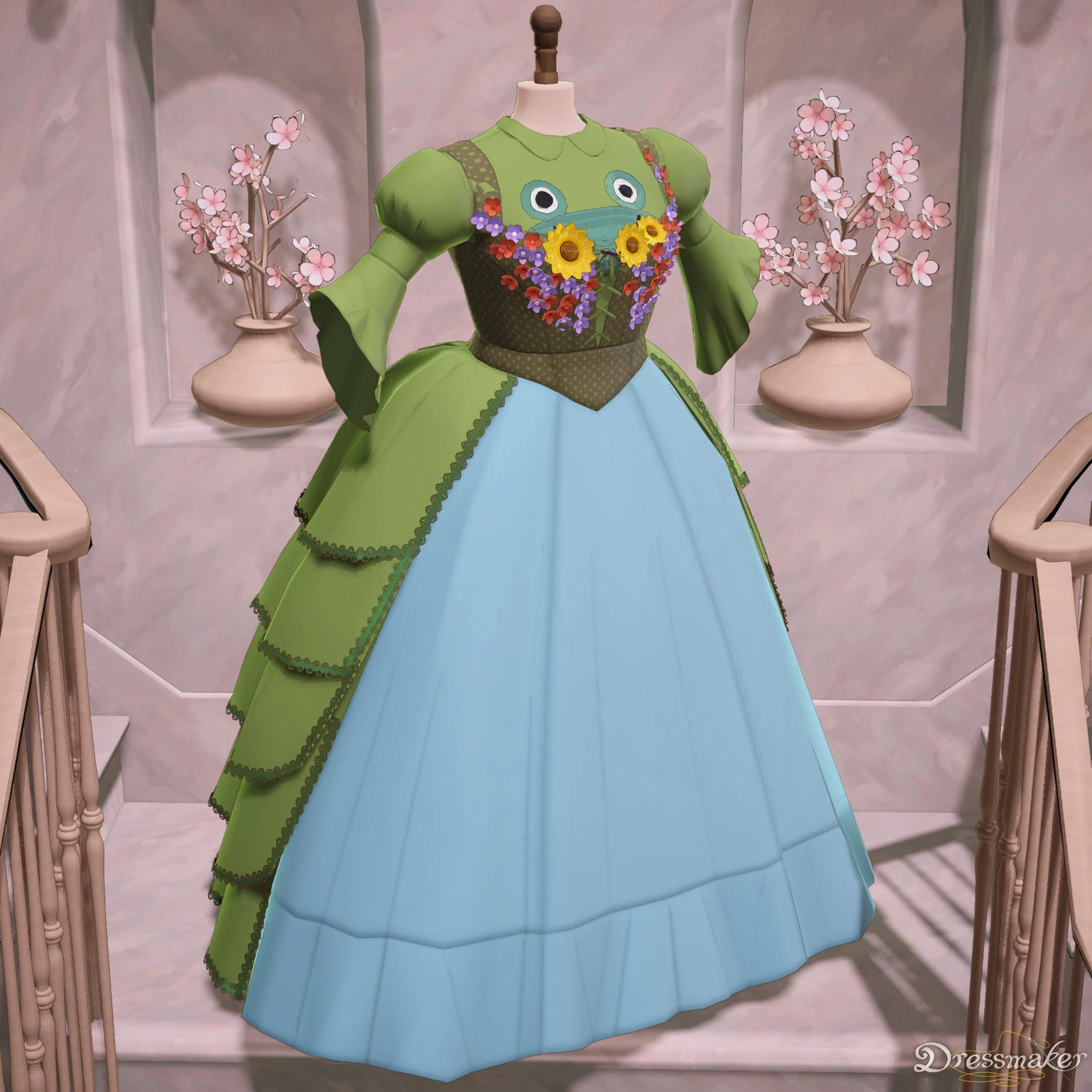
The blue skirt, green sides and decorated upper area make a useful visual contrast example.
- Name the visible areas before checking the material assigned to a component in your own project.
- The image contains no requirement display. Build 443 weighting comes from the patch text, not this older photograph.
Pre-release media published July 28, 2026. This image does not establish the Build 443 interface or item unlocks.
July showcase creators: blueisasome, Ser Wobbles the Wobbly, DannyMothHere, MothIn30Seconds, CoffeeClearwingMoth, nanda, Wilt and Eli; published by Cozy Lives / Free Lives
Read the original publicationWhich progress display are you trying to change?
| Display | Read it as | Do not substitute |
|---|---|---|
| Colour requirement | Progress for the specified colour condition | A visual estimate from the largest skirt panel |
| Fabric-type requirement | Progress for the required material category | A similarly coloured material with another label |
| Style target | Progress for the named style | Count of individual decorative objects |
| Accessory count | Number or amount in the required category | The number of floral motifs printed on cloth |
| Overall quality | The completed garment’s quality result | A single panel’s grain reading |
The commission reference includes a real official brief in which Flowers style and Flower accessories are separate rows. That distinction still applies after the patch. Read the row you intend to change before choosing another material or adding an ornament.
How can you investigate a small-component shortfall?
Keep the active customer and garment layout fixed. Write down the requirement’s exact name, its target and the current displayed progress. Then name the component you want to inspect. Read the material assigned there, rather than judging it only by the colour seen at a distance.
If you choose a replacement, compare the same requirement afterward. Also review other conditions that could have changed because the new material has different labels. Stop if the comparison no longer concerns the same project. A changing customer brief or a completely new silhouette would make a before-and-after interpretation unreliable.
This is an editorial investigation method, not an in-game undo guarantee. Do not discard an expensive finished garment solely to estimate a coefficient the developer has not published. Use the current preview and available project information; keep a record of what you can actually observe.
A worked editorial example
Imagine a commission with a colour condition. The skirt already supplies most of the visible area, while the collar has a contrasting material. The patch tells you that the collar can influence the colour requirement beyond its raw area share. It does not tell you that changing that collar will add a particular number of points or that a contrast must be removed.
Record the displayed condition, inspect the collar material and compare an alternative only if the project allows it. Check the material-type condition too. A colour improvement that changes a required fabric category may create a different shortfall. The example explains what to inspect; it is not a numerical recipe.
Why can an old dress show a different score?
The developer explicitly warns that earlier dresses may display slightly different colour or fabric-type scores under the new calculation. A changed requirement row does not establish that the save lost a panel, that the seam quality changed or that the achievement system is broken. Locate the changed measure before diagnosing the cause.
For visual changes around trim, use the separate compatibility checklist. For a quality shortfall, follow fit, grain and sewing checks. These are different lines of evidence even when they appear in the same garment.
What should a useful report include?
Keep the installed build, customer brief, selected component name, material label and current requirement display. If you have an older capture, use the same garment and explain whether it was taken before the patch. A report showing only a cropped dress cannot demonstrate a mismatch between a material label and a counted category.
The fabric catalogue covers material selection, and the new October list keeps the named additions separate from a complete shop database.
Official source
Checked 21 October 2026 against the colour/fabric requirement paragraph in Build 443. The patch explanation is official; the record-keeping method and hypothetical example are editorial. No formula or firsthand result is invented.