Dressmaker components and panels: know what you are assembling
Understand Dressmaker design components and cut panels. Trace sketchbook choices into inventory pieces and mannequin assembly.
Components and panels: know what you are assembling
One change in the sketchbook can produce several inventory pieces. That does not automatically mean something was duplicated. A component is a design choice; its panels are the pieces used to construct it.
Give each view a clear job
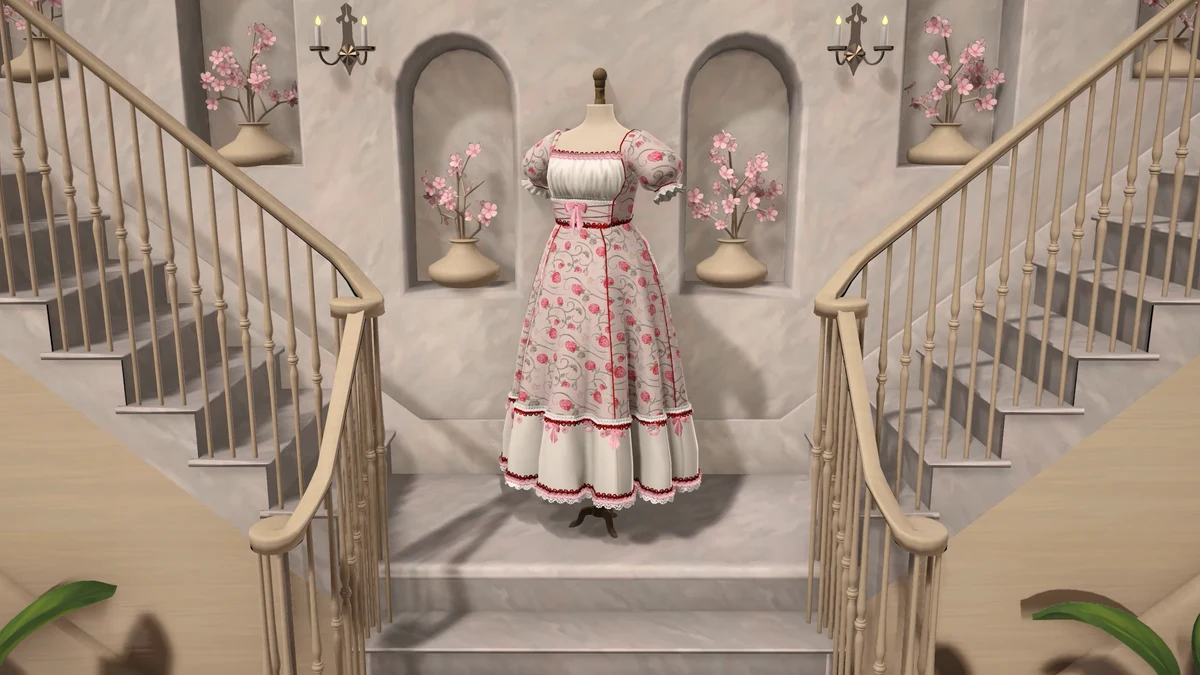
Image: official Cozy Lives / Free Lives media.
| Question | Where to look |
|---|---|
| Which design option did I choose? | Sketchbook component name |
| Which piece am I holding? | Inventory label |
| Where does it belong? | Build 410 hover hint |
| Is the assembled appearance right? | Mannequin preview |
The sketchbook tells you what you selected, inventory tells you what pieces you have, and the mannequin shows their assembled appearance. Do not count visible garment sections and assume the inventory should match one-for-one.
Keep a complex project organised
List the areas you actually selected, such as bodice, skirt or sleeves, then compare the generated panels. Not every dress includes all of those areas, so use the current design rather than a fixed piece count.
For similar panels, read the labels and try Build 410’s inventory hover placement hint. Review the assembled front and back, including the view you are most likely to overlook.
Trying an unfamiliar combination?
The sources used here do not provide a complete compatibility matrix. Change one component and compare the preview before changing another. If the silhouette is unexpected, you will know which choice to revisit.
Where to go next
- Dressmaker sketchbook: choose components without getting lost
- Dressmaker missing panels: six checks before starting over
- Dressmaker cutting: check grain and print placement
Sources and version
Reviewed on 9 October 2026. Player observations are identified in the guide; check controls against your installed version.
Related Articles
achievements
Dressmaker achievements: all 32 names and visible conditions
Browse all 32 Dressmaker Steam achievements, public conditions and hidden entries. Find related guides without revealing every spoiler.
achievements
Dressmaker completion plan: projects, budget and dialogue spoilers
Plan Dressmaker Steam achievement completion around customer progress, special garments and budget, with dialogue spoilers clearly separated.
characters
Dressmaker customers: preferences, measurements and briefs
Explore ten Dressmaker customers, their style preferences and community measurement references. Compare personal tastes with each active brief.
Was this helpful?
Thanks for the feedback!